A loyalty program gives customers another reason to choose your store when they're ready to buy again. It can turn their purchase history into useful rewards, recognize regular shoppers and make the relationship feel more personal.
The challenge is designing a program people want to use. If rewards take too long to earn, balances are hard to find or redemption is confusing, customers can lose interest before the program influences a single purchase.
Shopify gives you plenty of ways to add loyalty features through apps. The more important decisions come before installation: what you're trying to encourage, what customers will value and how the rewards fit your business. This guide walks through those decisions and the setup that follows.
How does a Shopify loyalty program work?
A Shopify loyalty program rewards customers for purchases and other qualifying actions, usually through an app connected to your store. Customers might earn points toward a discount, unlock a higher membership tier or receive benefits such as early access and free products.
In a typical points program, the app records eligible purchases, adds points to the customer's balance and lets them exchange those points for a reward. That reward is then applied through the redemption options the app supports, often a discount code.
The customer's experience should be easy to understand: how to join, how to earn, what the reward is worth and how to use it. You can add more benefits over time, but those basics need to work from the beginning.
Choose the right type of loyalty program
The right structure depends on what customers buy and what would make their next purchase more appealing. Start with a format you can explain clearly and maintain consistently.
| Program type | How it works | When it can fit |
|---|---|---|
| Points-based | Customers earn points and redeem them for rewards. | Stores with regular repeat purchases and a straightforward reward offer. |
| Tiered or VIP | Spending or qualifying activity unlocks better benefits. | Brands with an established group of frequent or high-spending customers. |
| Paid membership | Customers pay for a package of benefits. | Stores where customers buy often enough to get clear ongoing value from the membership. |
| Perks-based | Members receive benefits such as early access, services or exclusive products. | Brands whose customers value access or convenience alongside savings. |
These structures can overlap. A points program can include VIP tiers, and either can offer referral rewards. You don't need every component at launch.
For a smaller store, a simple points program may be enough to learn what customers respond to. A paid membership requires a stronger reason to join, because customers have to commit money before receiving much of the benefit.
Design rewards around the next purchase
Before choosing an app, decide what the program should help customers do. Encouraging a second order calls for a different reward structure from recognizing people who already shop with you every month.
Start with one clear goal
Choose a primary objective, such as increasing second purchases, shortening the gap between orders or retaining regular buyers. Then look at how customers currently behave around that point.
If your average first order is modest, a reward that requires several hundred dollars of spending may be too distant to influence the second purchase. A smaller, reachable reward gives a new customer a clearer reason to pay attention.
For established customers, convenience or recognition may matter more. Early access to a collection, a useful gift or priority help can add value without making every interaction about a discount.
Work out what the points are worth
The number of points you award means little until you define the reward. One point per dollar can be generous or uninteresting depending on how many points a customer needs to redeem.
For example, if customers earn one point per dollar and can exchange 100 points for $5 off, spending $100 earns $5 in future reward value. That's a 5% face-value reward rate on eligible spending, before any bonus points.
Use that as an illustration of the calculation, rather than a default rate for your store. Your margins, buying frequency and reward type determine what makes sense. A free product has a different cost to the business from a dollar discount, and shipping benefits vary with the order and destination.
Make the first reward attainable
Work through the program as a typical customer. After a normal first order, how close are they to something they can use? How many purchases would it take, and how long would that realistically be?
If your goal is to encourage the second order, consider a first reward the customer can unlock before making it. That might mean a lower redemption threshold or a small joining bonus, with the cost included in your program budget.
Explain progress in useful terms. “You're 20 points away from $5 off” is easier to act on than a balance with no indication of what it buys.
Keep the rules manageable
Start with purchases as the main earning action. Add other actions only when they support a clear goal, such as rewarding a referral after the referred customer completes a qualifying purchase.
Decide how the program handles refunds, canceled orders, gift cards, sale items and existing promotions. If you use tiers, define the qualifying period and show customers what happens when that period ends.
Any points expiry should also be clear when customers join and visible in their account. The program will be easier to support if customers can understand the rules without contacting your team.
Choosing a Shopify loyalty app
Once you know how the program should work, compare apps against that plan. Three options to consider are Smile, LoyaltyLion and Growave, each with a different emphasis.
| App | Features to consider | A useful fit to explore |
|---|---|---|
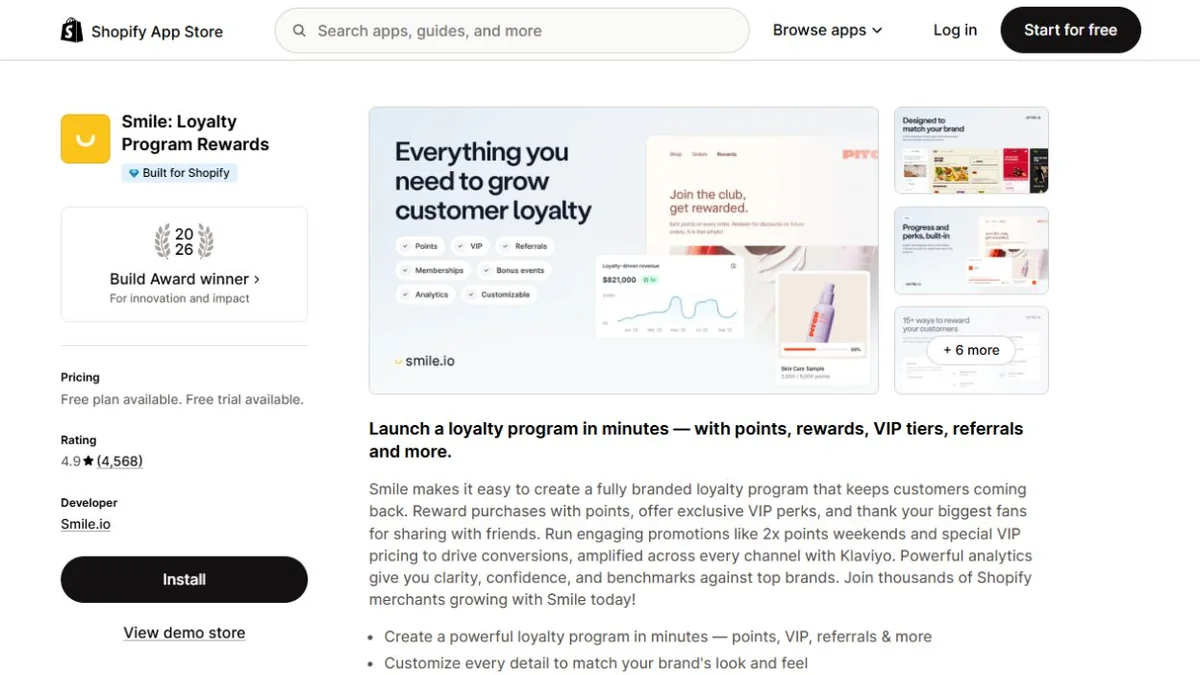
| Smile | Points, referrals, VIP tiers and a rewards hub inside customer accounts. | A dedicated loyalty program with recognizable reward mechanics. |
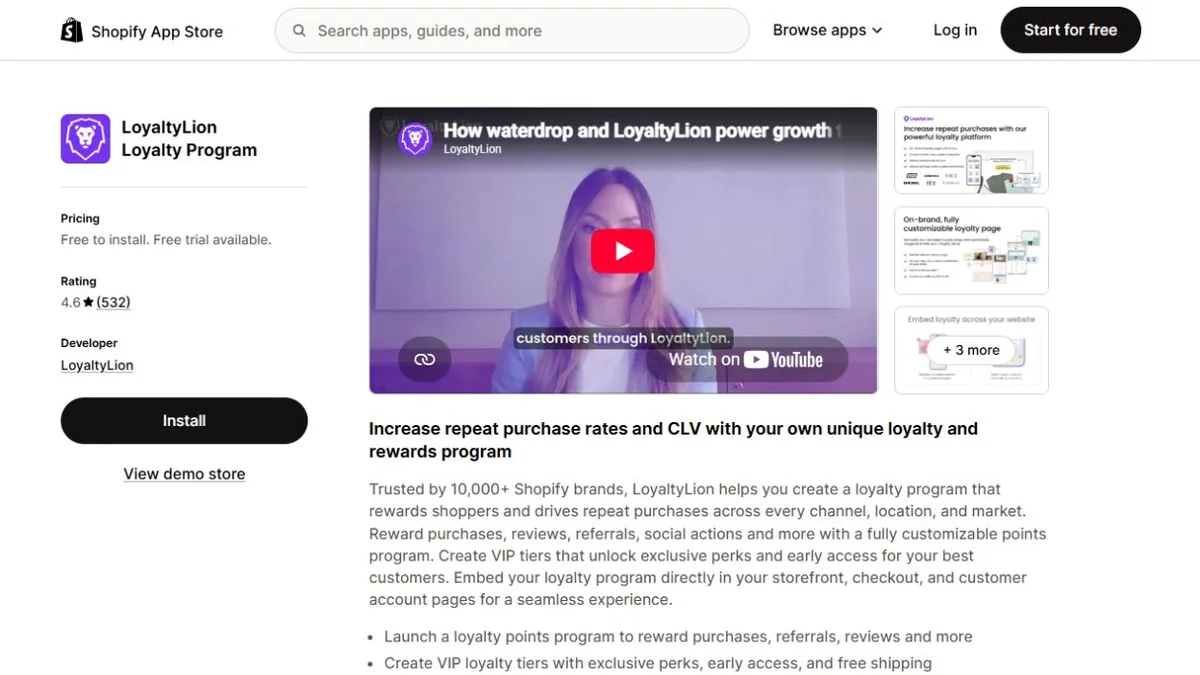
| LoyaltyLion | Customizable points, VIP benefits, customer segments and loyalty campaign integrations. | A program that needs more control over rules and how loyalty connects with marketing. |
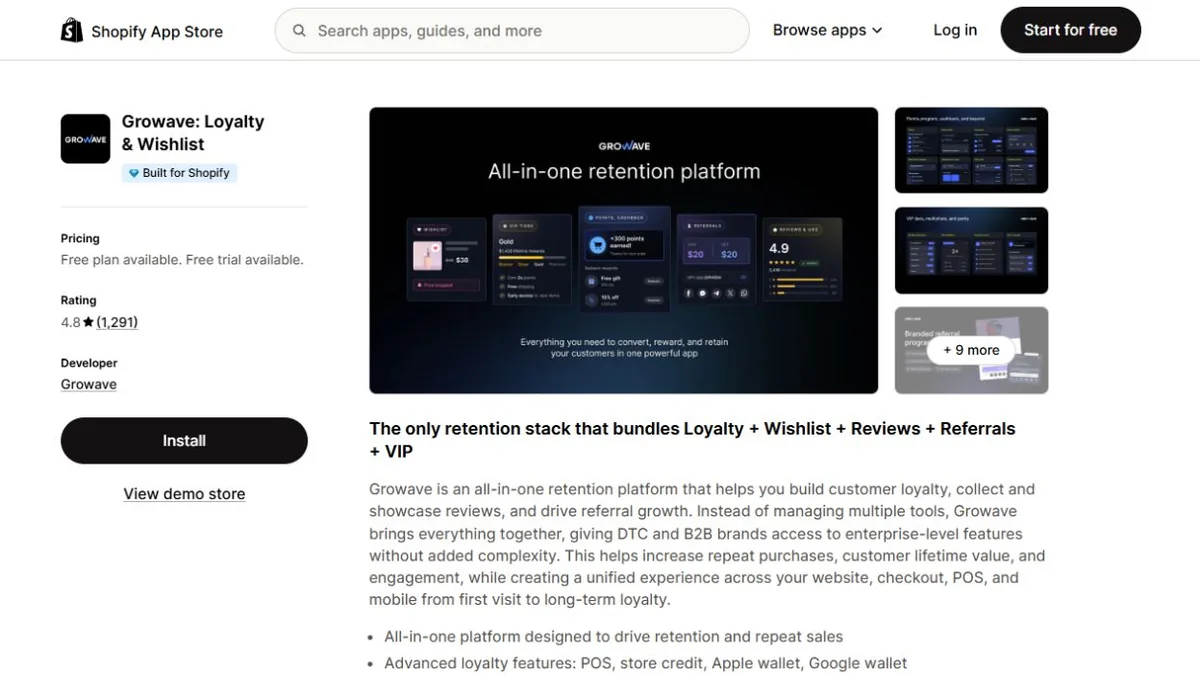
| Growave | Loyalty, VIP tiers, referrals, reviews and wishlists in one platform. | A store that wants several customer engagement features from one provider. |
Compare the plan that includes the features you need, along with order limits, usage charges and integrations. An entry plan may support basic points while putting tiers or more advanced placements on another plan.
Also check where customers can redeem. For example, Smile lists its checkout redemption feature for Shopify Plus. A rewards page and a checkout-embedded experience are different options, so confirm which one the proposed setup will give your customers.
If you sell through Shopify POS, subscriptions or a mobile app, check those connections too. A customer should be able to understand where they can earn and use rewards across the places they shop with you.
Smile
LoyaltyLion
Growave
How to set up your Shopify loyalty program
With the program designed and the app selected, setup becomes a matter of putting the rules and customer experience into place. Work through the full journey before inviting your wider customer base.
1. Connect the app and configure the rules
Install the app through the Shopify App Store and follow its setup process. Enter your earning rate, rewards, eligibility rules and any tier thresholds you've chosen.
If you're bringing over an existing program, reconcile the imported balances against your original records. Decide separately whether previous purchases should earn new points; customers should receive a clear explanation of what their starting balance represents.
2. Build a clear rewards page
Create a dedicated place where shoppers can understand the program. Explain how to join, what a normal purchase earns, the rewards available and how to redeem them.
Show the program in your brand's language, with examples customers can follow. You can give the points a distinctive name, but their value should still be obvious.
3. Add the program to customer accounts and your storefront
Use the placements your app supports to help customers find their balance, rewards and progress. Customer accounts are a useful home for that information, supported by a visible link to the rewards page in your store navigation.
Introduce the program at relevant moments, such as after a purchase or when a returning shopper signs in. Keep the experience easy to use on mobile, where a large widget or repeated pop-up can interrupt shopping.
4. Check reward redemption and discount combinations
Test an eligible purchase, a points award and a redemption from a customer's perspective. Include a refund and an order with an existing promotion, so you can see what happens to both the points and the discount.
Shopify lets merchants configure eligible discount combinations. The settings on each discount need to allow the combination for it to apply. Make sure your reward rules match the experience you describe to customers.
If rewards can't be used with a sale, say that where customers choose the reward. Finding out only at checkout creates avoidable frustration.
5. Connect useful loyalty messages
Set up messages around events that matter to the customer: joining, reaching a reward, unlocking a tier or approaching a clearly stated expiry date.
Make each message specific. Tell the customer what they have earned, what it can be used for and where to go next. Coordinate these messages with your existing campaigns so someone doesn't receive several unrelated promotions at once.
6. Introduce the program to customers
Explain the program to customers who've opted in to marketing and make it visible on your store. Lead with the benefit and a clear example, so people can decide whether joining is worthwhile.
A smaller initial launch can help you catch confusing instructions or redemption problems before promoting it widely. Give your support team the same walkthrough so they can answer questions consistently.
How to measure whether the program is working
Enrollment tells you whether customers are interested enough to join. What they do afterward tells you more about whether the program is helping your business.
Track repeat purchases within your normal buying cycle, time to the next order and customer spending after joining. Our customer retention guide explains how to compare customer groups over consistent periods.
Redemption behavior is useful too. If people earn points but rarely use them, investigate whether the rewards are too distant, hard to find or inconvenient to apply. If rewards are popular but contribution falls, revisit their cost and how they combine with other offers.
Members may already be your most engaged customers, so a higher member spending figure alone won't tell you how much the program changed their behavior. Where practical, test an invitation or promotion with comparable customer groups and follow what happens afterward.
Bring the costs into the same view: redeemed rewards, shipping benefits, app fees and the time involved in running the program. That helps you decide which parts are worth expanding and which need adjusting.
Final thoughts
A good Shopify loyalty program gives customers something they understand, value and can use. The app supports that experience, while the reward design and the way you introduce it determine whether people have a reason to take part.
Start with a clear goal and a program you can run well. As you see which rewards customers use and how their buying habits develop, you can refine the experience around what makes them want to keep shopping with you.